No limits on your notes. Free.
Write as many notes, pages and boards as you want. Nothing locks later.
Notes, handwriting, infinite boards, PDFs and your to-dos in one library. Built for Apple Pencil, kept on your own devices.
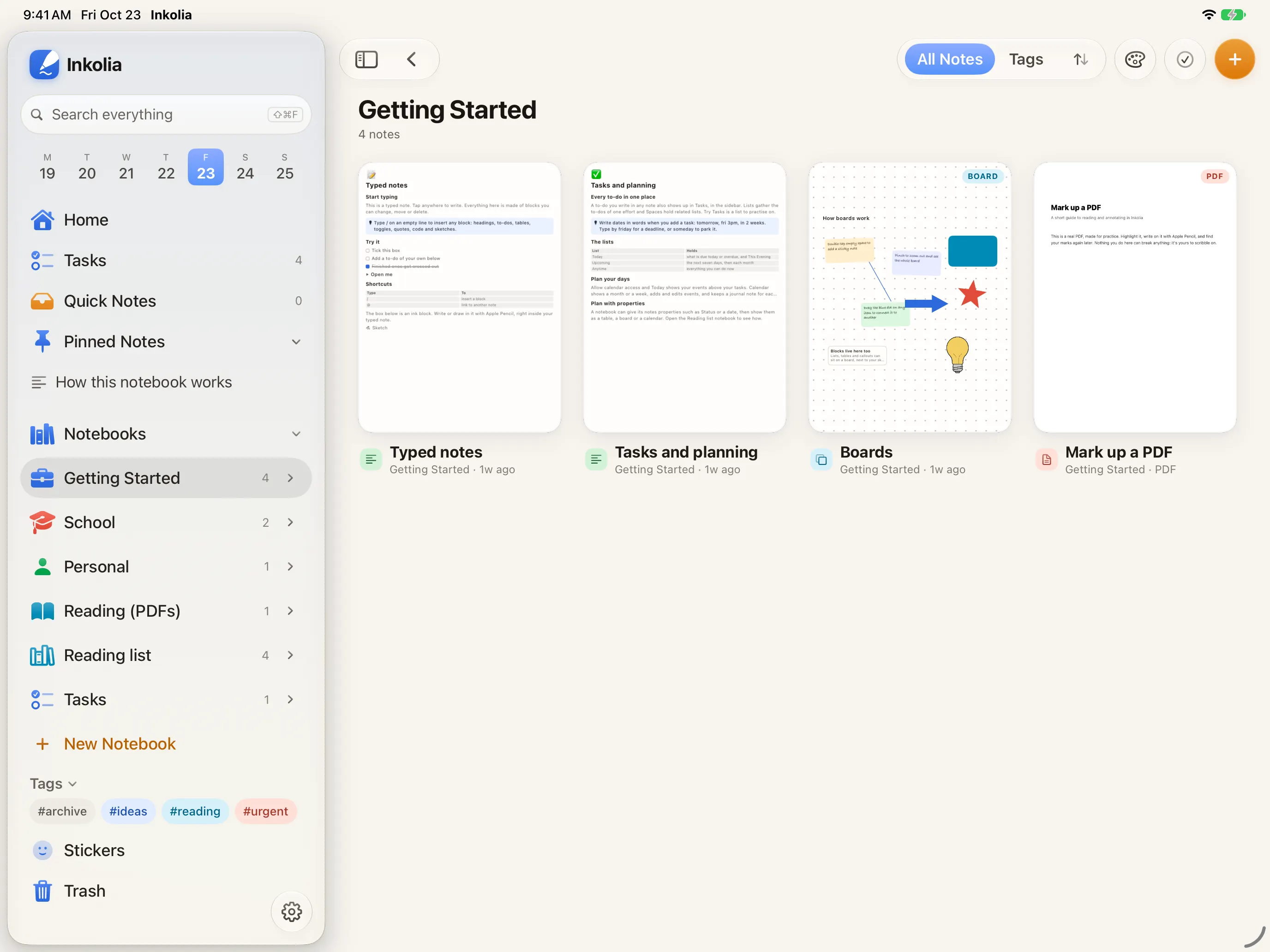

Made for Apple Pencil
Mark up your PDFs
Tasks and calendar built in
Search reads handwriting
Write as many notes, pages and boards as you want. Nothing locks later.
No account, no Inkolia servers, and the intelligence runs on your device. Details on the privacy page.
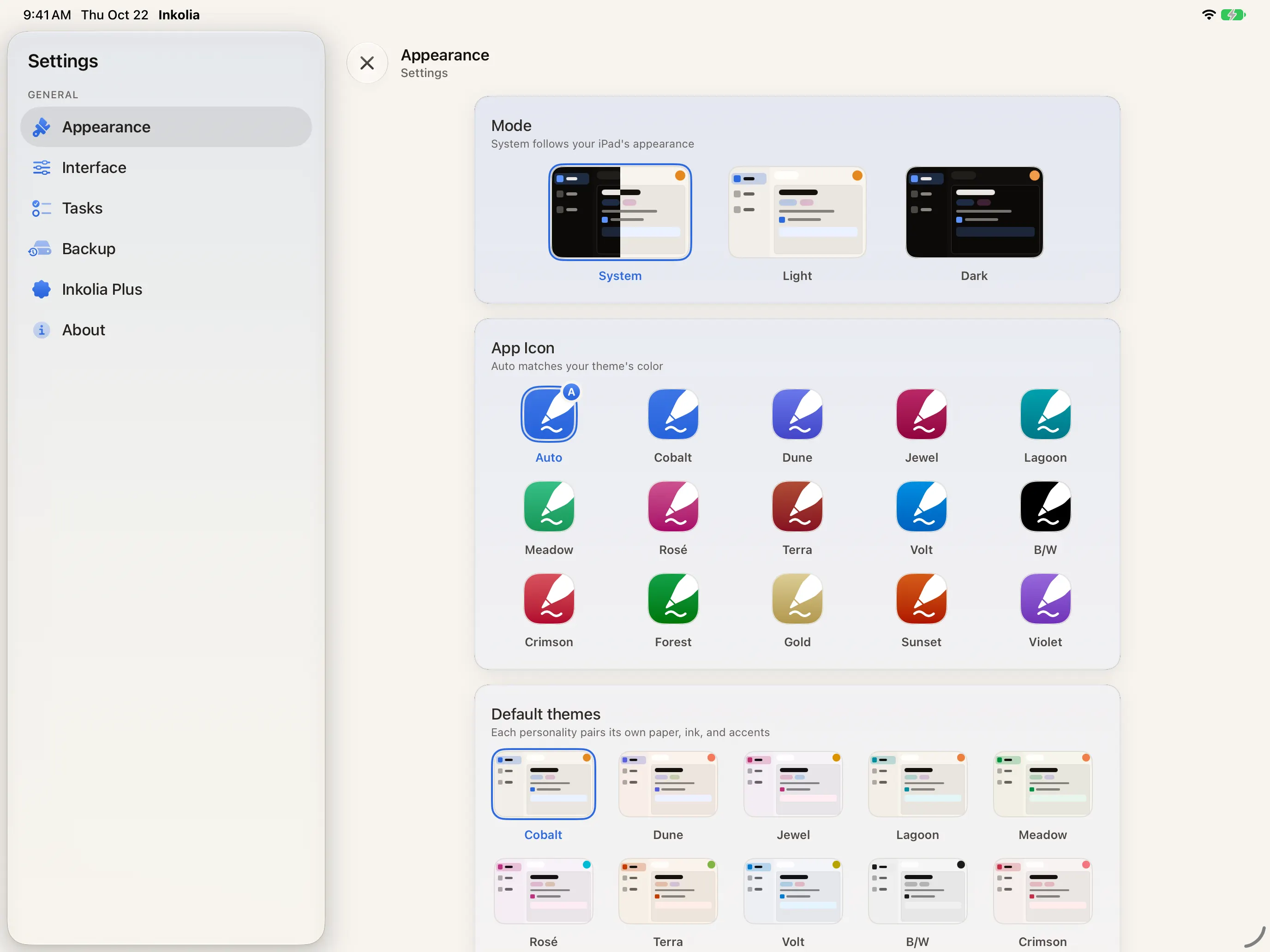
Fourteen themes, desks, covers and sticker packs. Cobalt and the Essentials stickers are free.
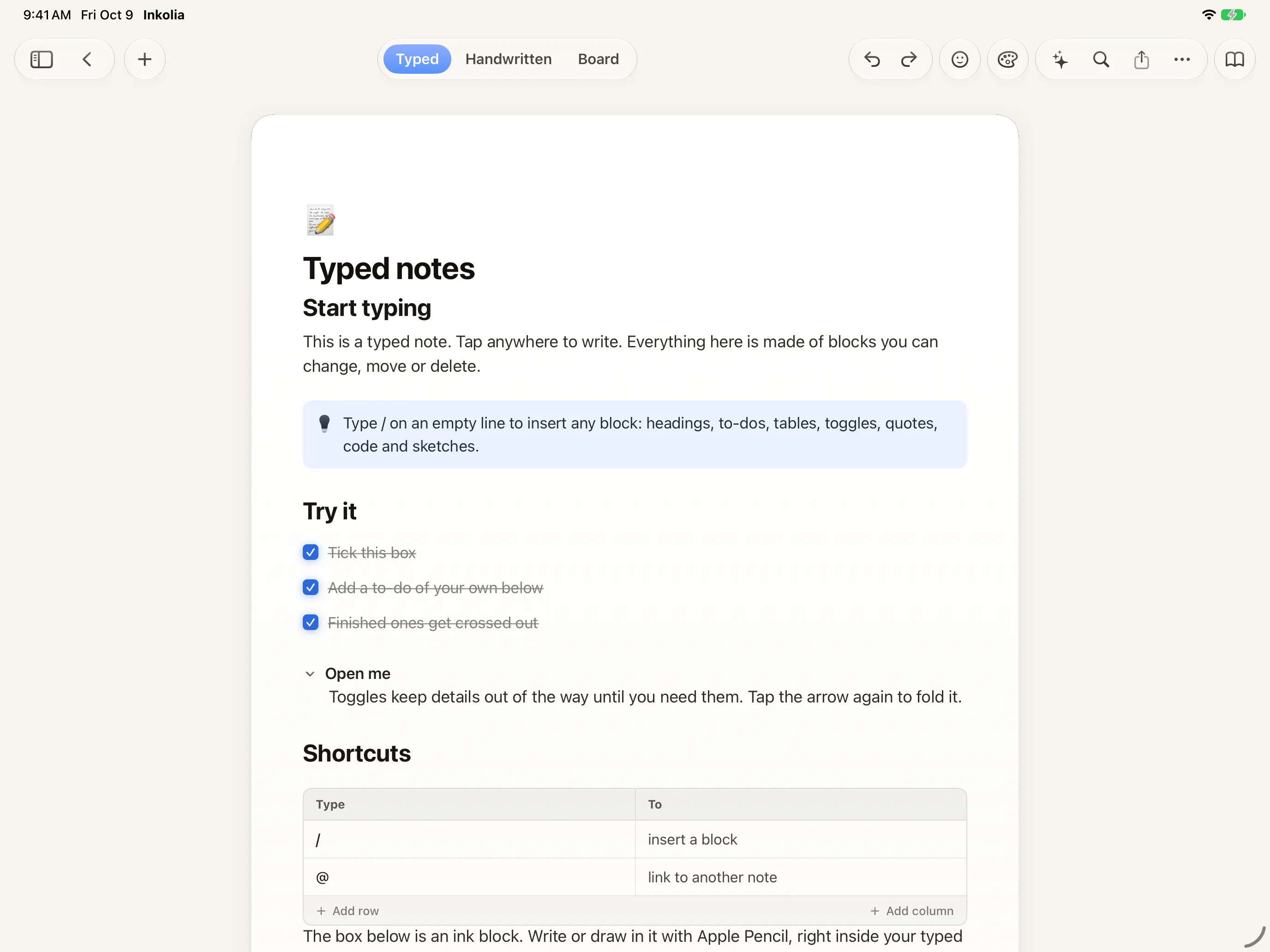

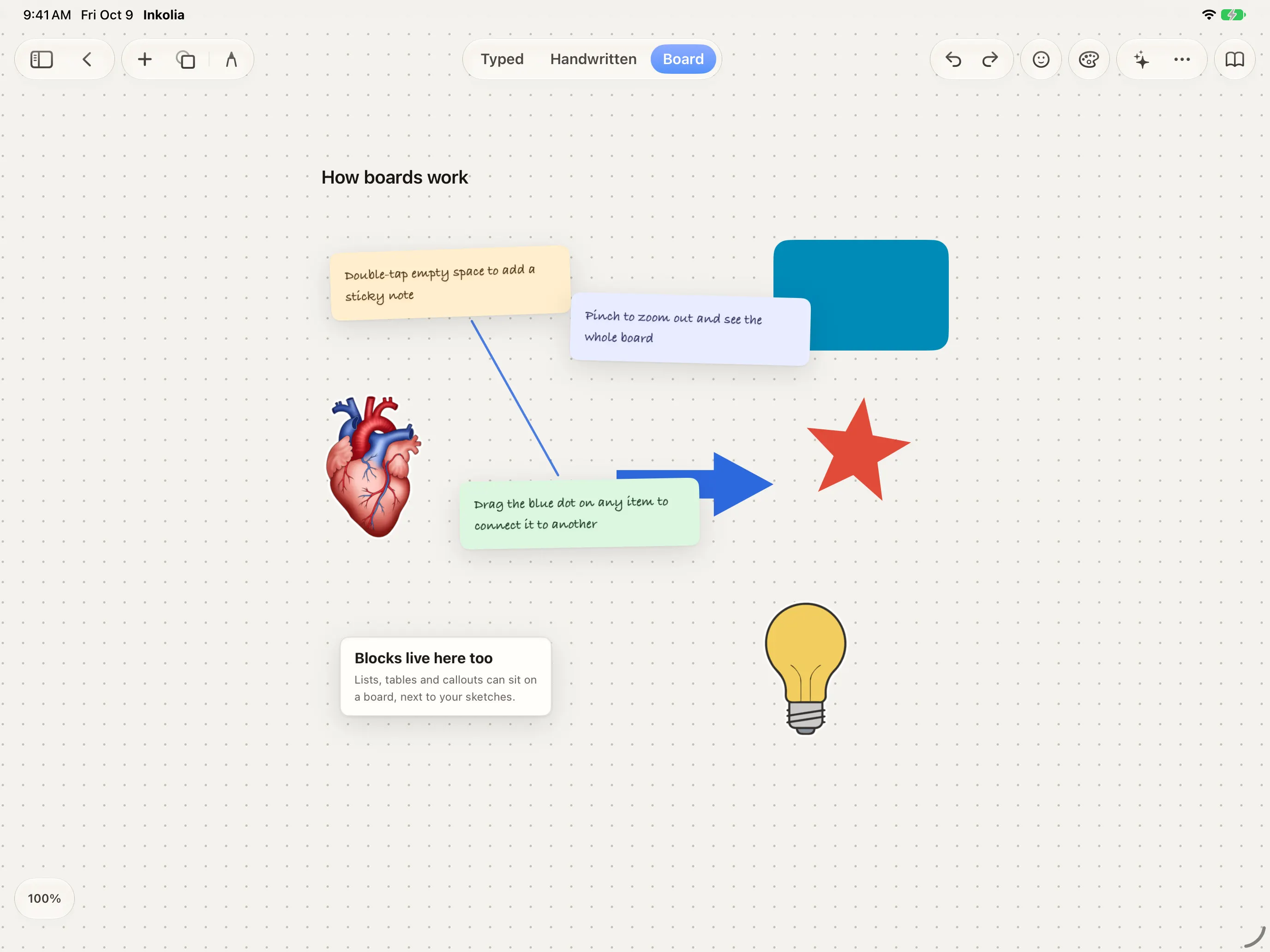
One notebook, four ways in
Headings, to-dos, toggles, tables and links between pages. Type “/” and pick a block.
Pick a pen, a colour and a width. Erase a word, draw an arrow, sketch in the margin. Search reads your handwriting too.
An infinite board for the thinking that doesn't fit a page: stickies, shapes, arrows and blocks.
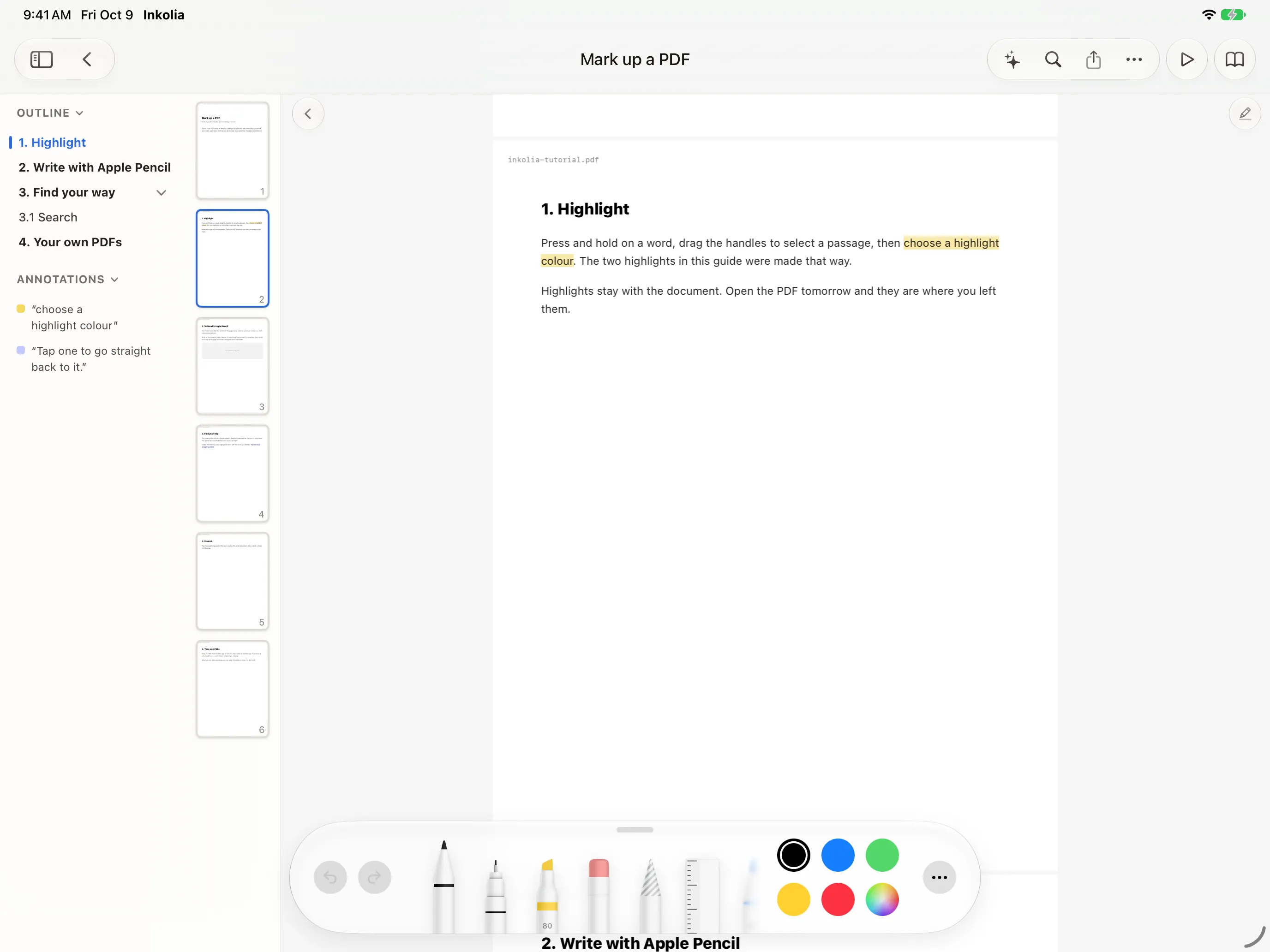
Open a PDF, highlight a passage, write in the margin with the Pencil, and find every highlight again in the list beside it.
Plan it too
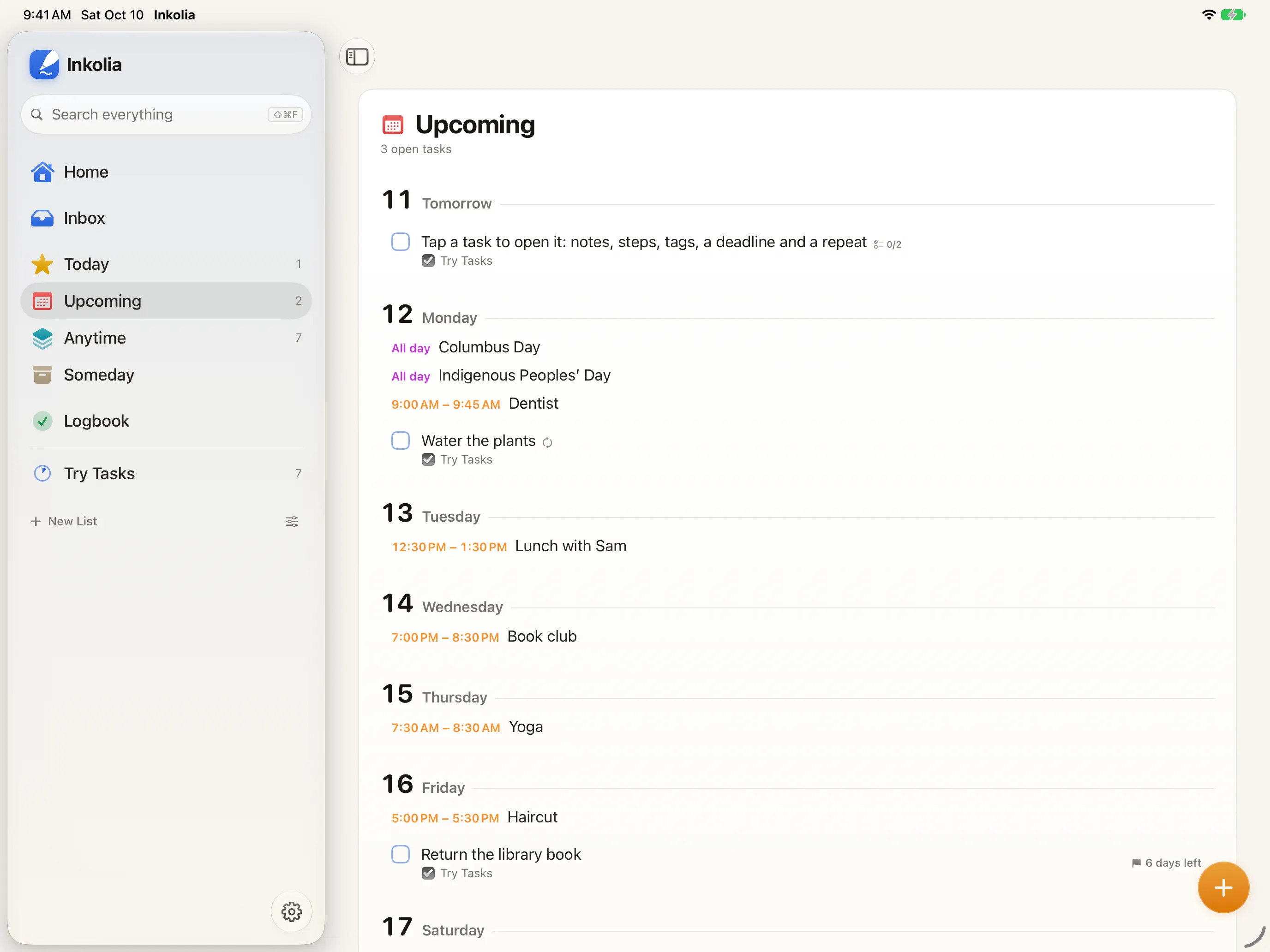
To-dos from every note in one list. Type “tomorrow 9am” and the date is set.
Your month and week from the calendars already on your device, beside your tasks.
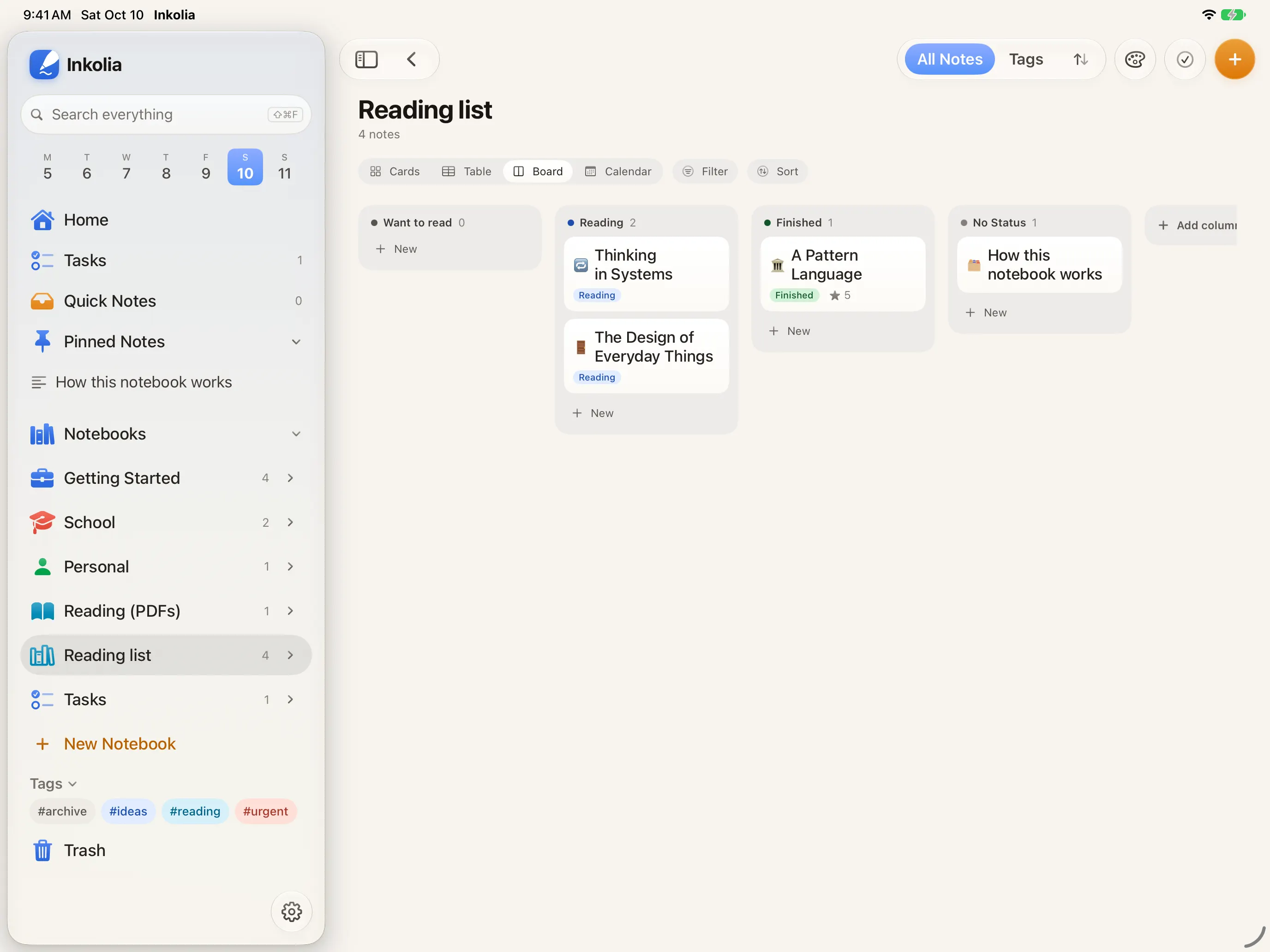
Give a notebook properties, then see it as a table, a board or a calendar.
Search and intelligence
One search reads typed text, handwriting, PDF text, table cells and recorded audio. Open a result and you land on the page that matched.
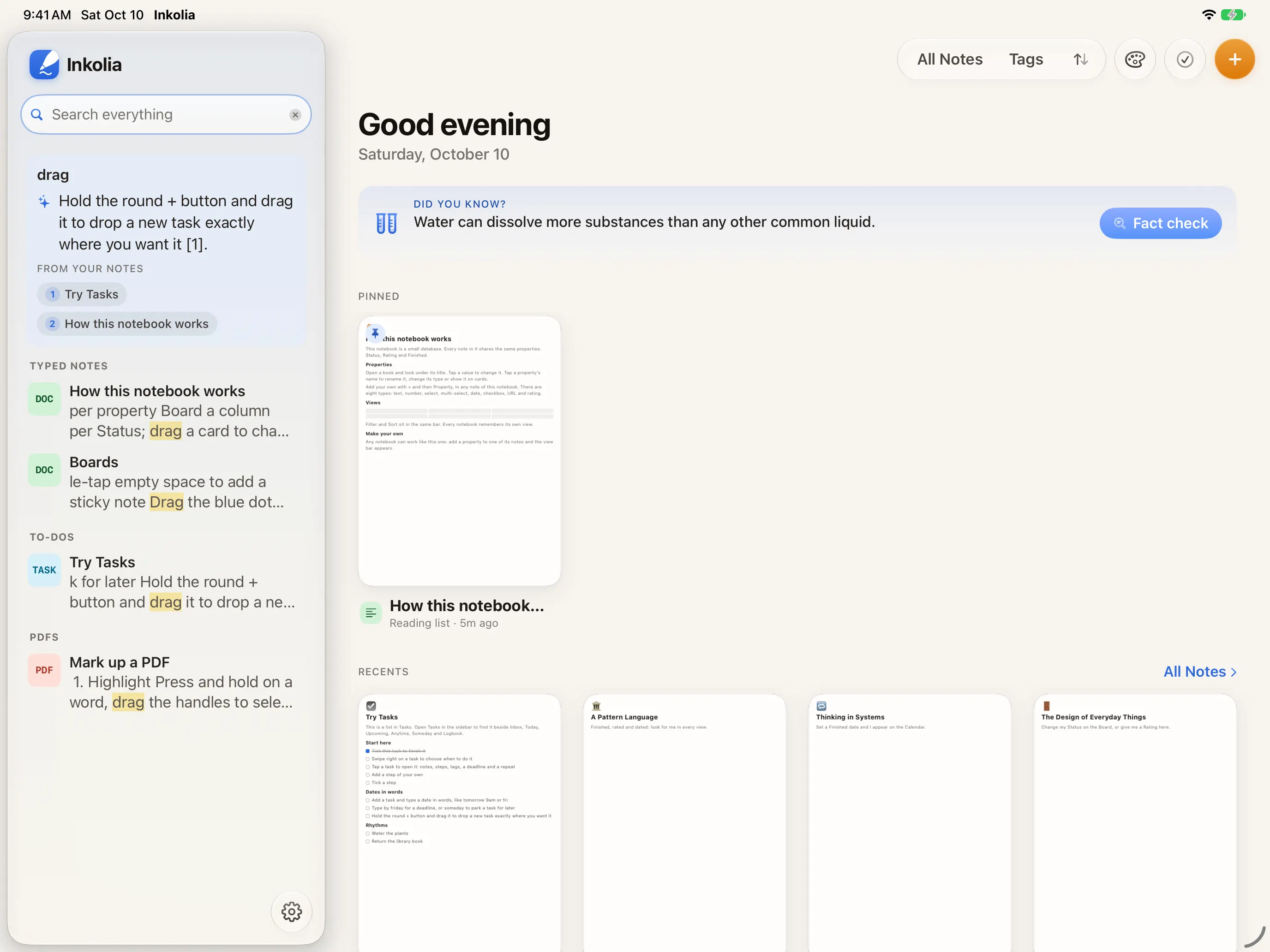
Every word across typed pages, handwriting, PDFs, boards and recordings.
Ask a question and Apple Intelligence answers from your library, showing which notes it used.
Summaries, outlines and rewrites of any note, free and on your device.
Ask, summaries, outlines and the writing tools need a device with Apple Intelligence turned on.
Yours to keep
To a folder in Files, a home NAS or any WebDAV server, by hand or automatically with Plus.
Export as PDF, print, or drag it into another app. Markdown and Word with Plus.
Import PDFs, scans, images, Markdown folders or a Notion export.
Make it yours
Each theme sets paper, ink and accent together, in light and dark. Choose an icon to match, then stick something on the page.





Sticker packs are $1.99 each. The Essentials pack is free.
Your notes live on your devices.
Not on Inkolia's servers. There aren't any.
With iCloud sync, they also live in your own iCloud, where Inkolia can't read them either.
Inkolia Plus
Plus syncs your library through your own iCloud, backs it up on its own, exports to Markdown and Word, and lets Ask search your whole library. Then every theme, desk, cover, icon and template, and the ten Plus Collection stickers.
$14.99per year $3.99per month $49.99once, just for you
iPhone and Mac will follow.
Tell me when iPhone and Mac arrive