Features
Everything Inkolia does.
On one page. Each part is free unless it says Plus.
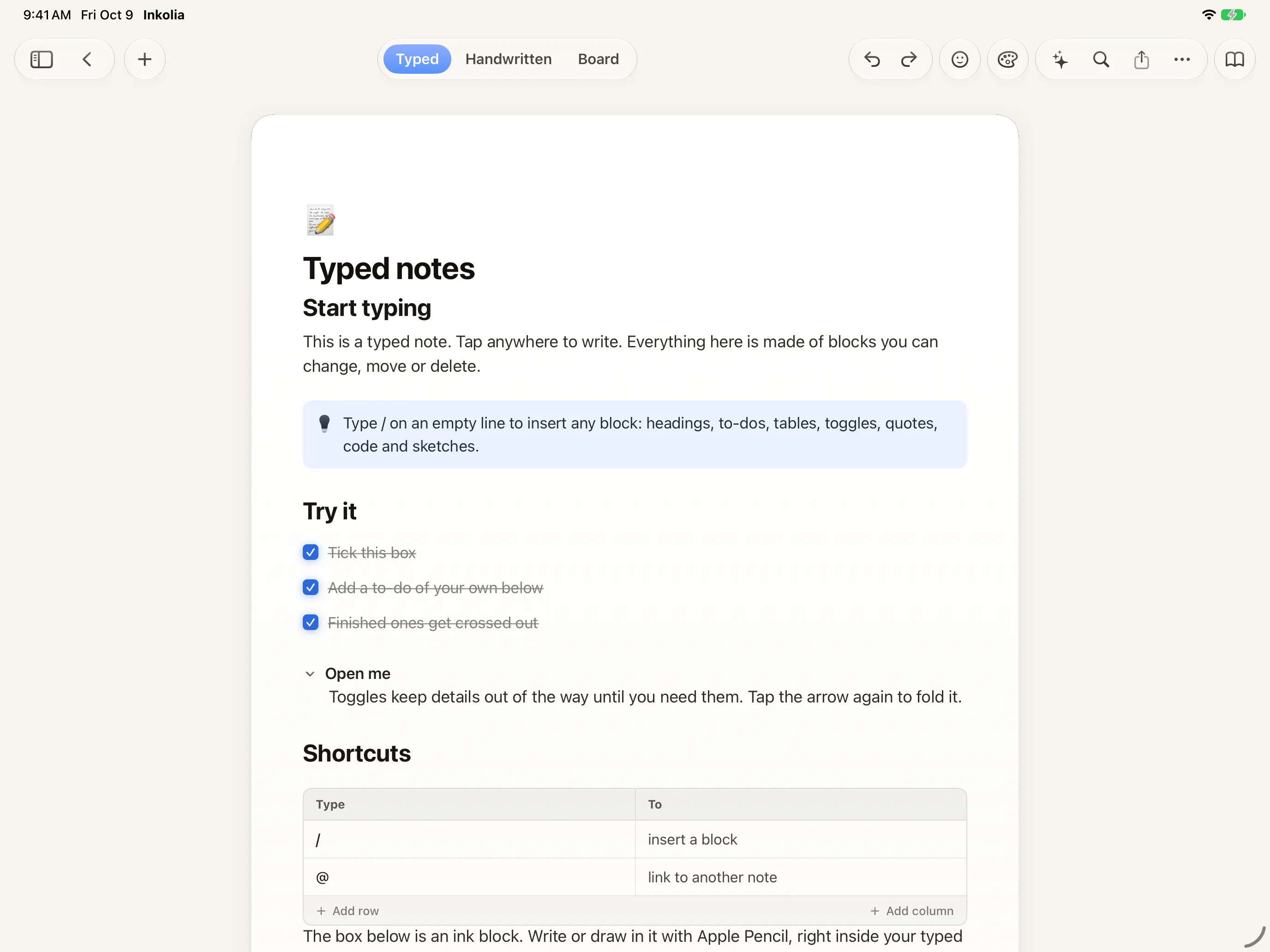
Typed notes
A page made of blocks. Type “/” on an empty line and pick one.
- Headings, to-dos, toggles, tables, callouts, quotes, code, dividers and columns
- Type “/” to insert a block, or to turn a block into another kind
- Markdown shortcuts such as #, ##, [] and >
- Link another note with @ and tag a note with #word; every note lists what links to it
- Sub-pages nest notes under notes
- A web link on its own line becomes a card, and YouTube plays right in the card
- Write with Apple Pencil below the text and it becomes a sketch block
- Bold, italic, underline, strikethrough, inline code, highlight and text colour
- One note can hold typed blocks, a handwritten page and a board; switch with ⌘1, ⌘2 and ⌘3

Handwriting
A real page for Apple Pencil: ink, text boxes, shapes and images on one surface.
- Ruled paper, and with Plus blank, grid or dotted paper and Cornell, Meeting, Weekly Planner and Checklist pages
- One set of tools everywhere: pen, colour and width carry over between pages, boards and PDFs
- Pull up past the last page to add another
- Search reads your handwriting, and Copy Handwriting as Text turns it into type
- Your finger scrolls and the Pencil draws, or turn on drawing with a finger
- Squeeze Apple Pencil Pro to show or hide the tools; double-tap switches to the eraser


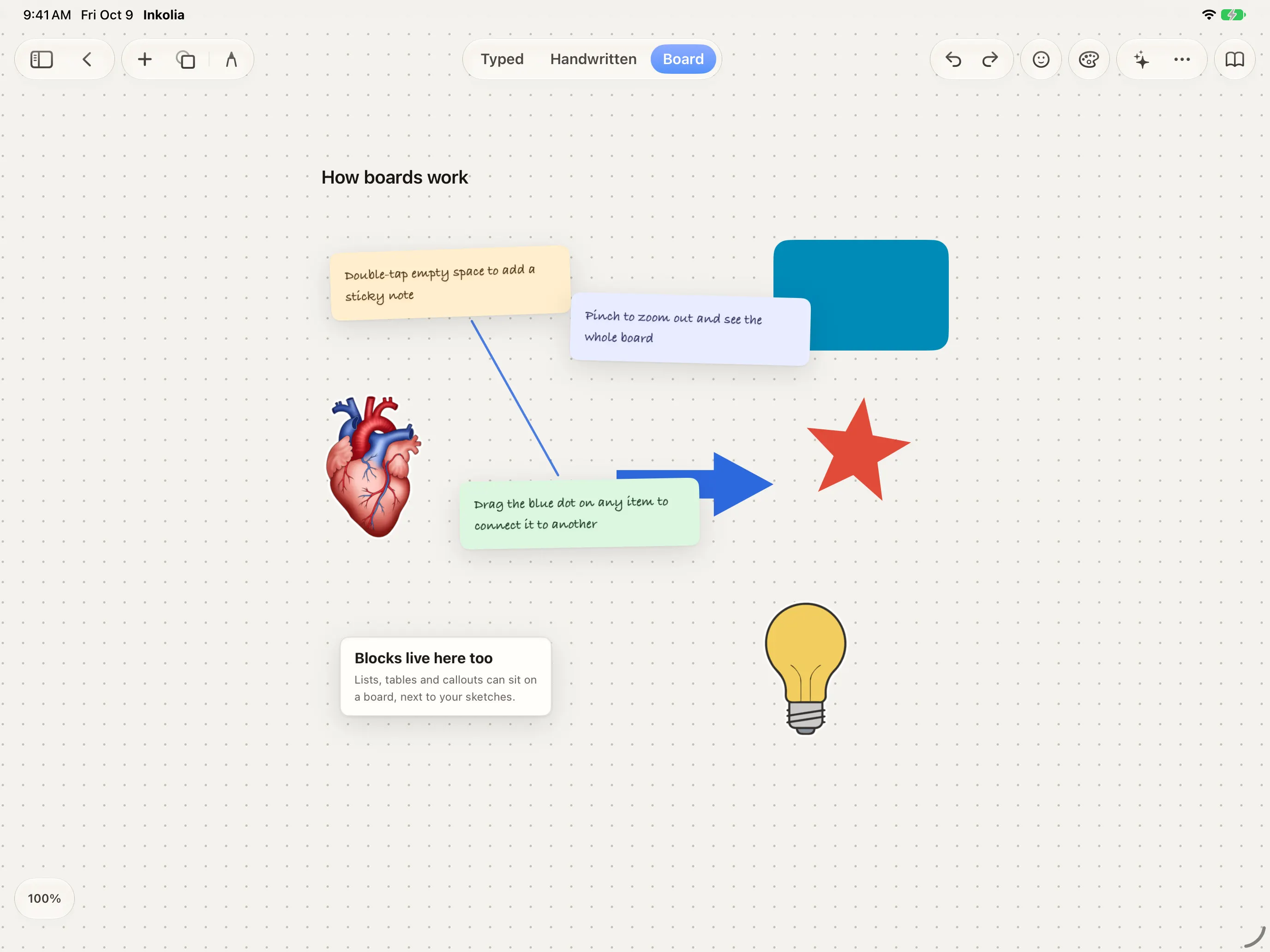
Boards
An infinite canvas for the thinking that doesn’t fit a page.
- Sticky notes, text, typed cards, photos, stickers, link cards, frames and tables
- 23 shapes and about 255 figures to place
- Connectors that are straight, elbowed or curved, solid, dashed or dotted, with arrowheads
- Draw and hold to snap a stroke into a clean line or shape
- Group, align, distribute, lock, rotate and copy a style from one item to another
- Scenes save a view to jump back to, and a minimap shows where you are
- Drag notes, images, links and text onto the board
PDFs
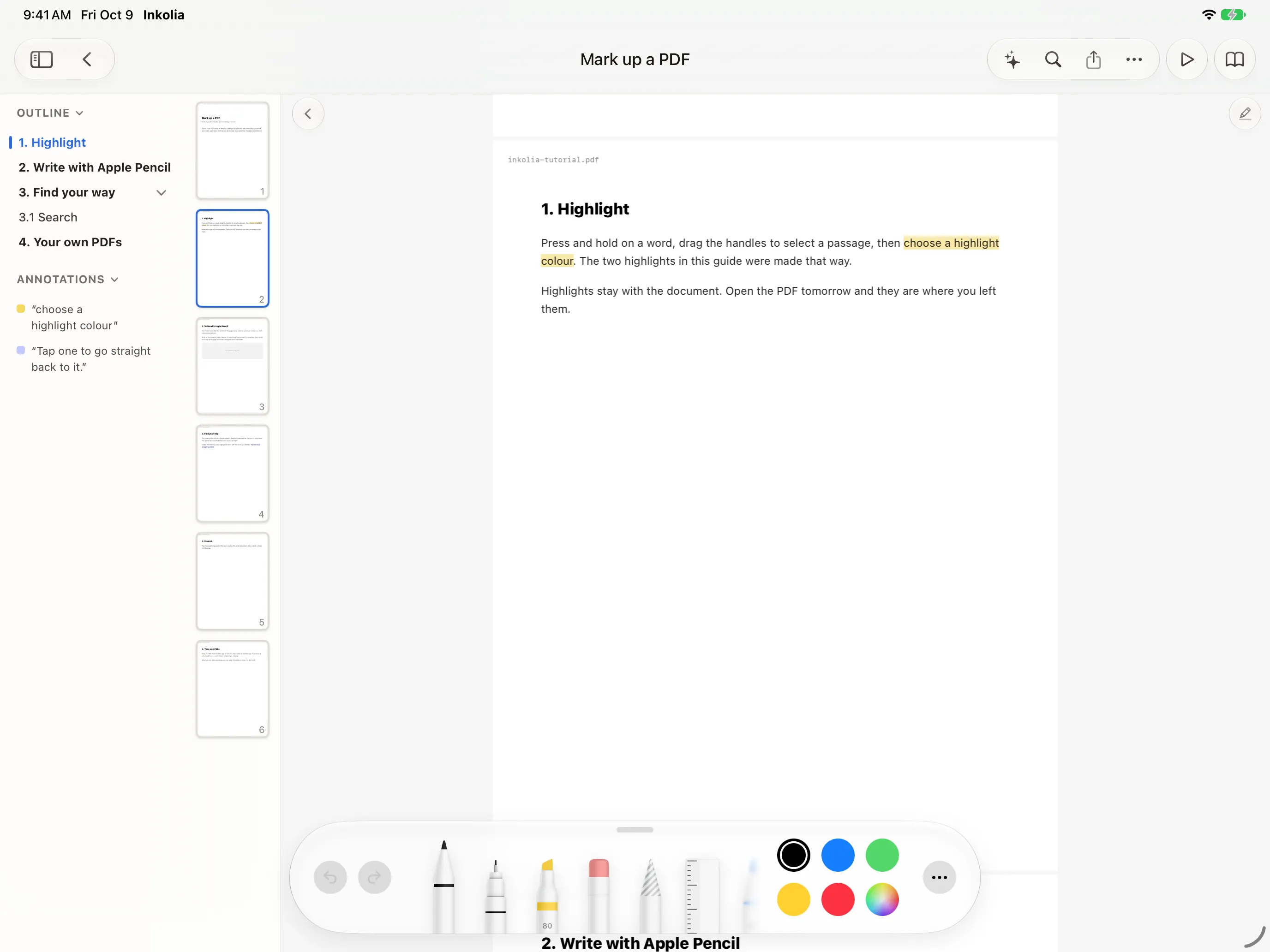
Read and mark up your PDFs, then find every highlight again.
- Import from Files, drag and drop or the share sheet, or scan a document with the camera
- Highlight in yellow, green, blue or pink, underline or strike through
- Write on any page with Apple Pencil
- The outline and a list of your highlights sit beside the page
- Send a highlight to a companion note, or copy it as a quote
- Present with a laser pointer that never touches your ink
- Pages turn dark in dark mode and keep their original colours when you export or print
- With Plus, export your highlights, underlines and strikethroughs as one Markdown list, page by page
Audio
Record in any note. When you stop, a transcript is written on your device, in its language.
- Tap a line of the transcript to jump to that moment
- Transcripts are searchable with everything else
Tasks
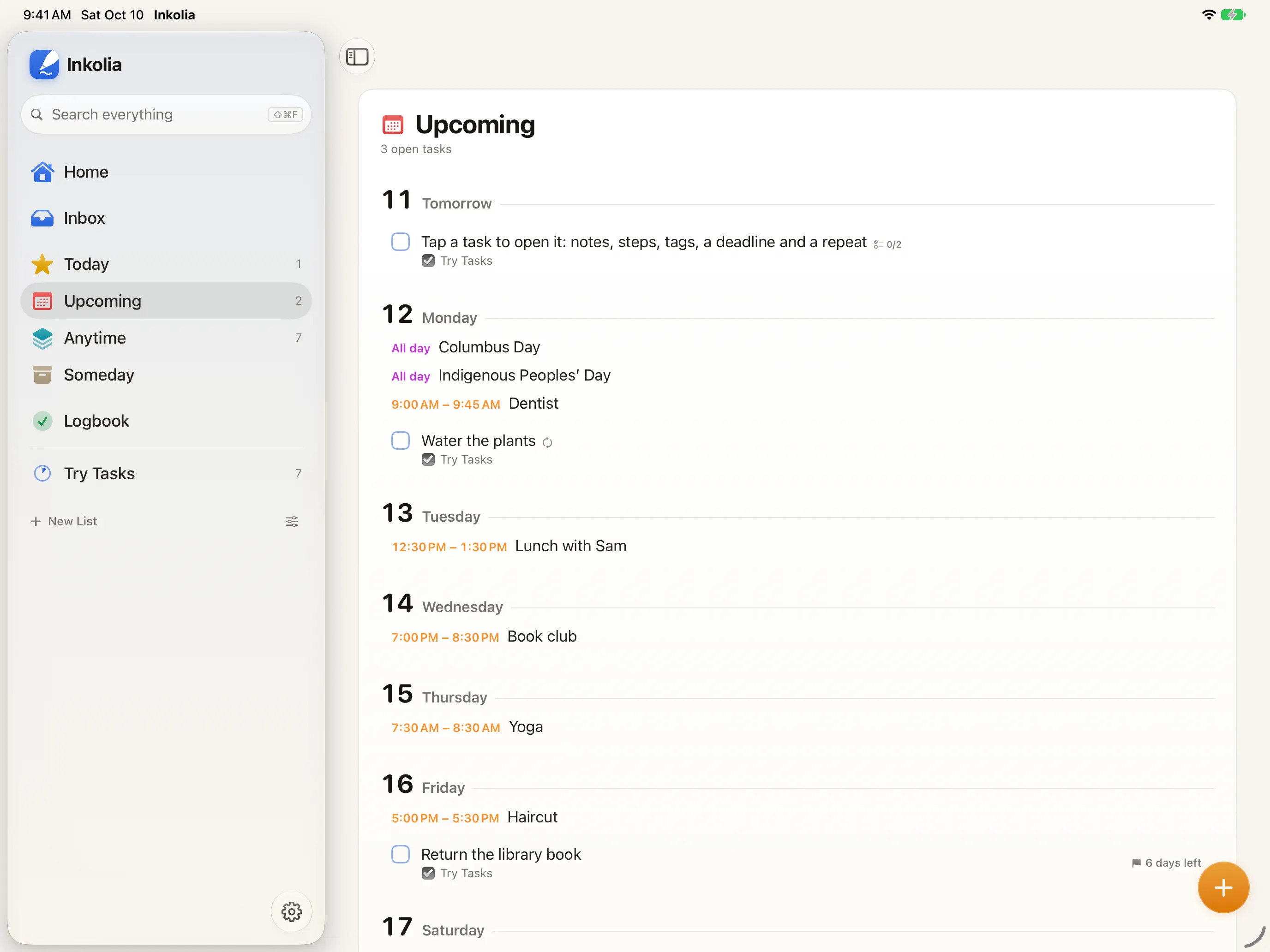
Every to-do in every note, gathered in one place.
- Inbox, Today, Upcoming, Anytime, Someday and a Logbook of finished work
- Lists and Spaces to group them, with headings inside a list
- Type dates in words: today, tomorrow 9am, next week, in 3 days, or by fri for a deadline, in English or everyday Spanish
- Deadlines, repeats, reminders, tags and checklist steps
- Quick Entry from anywhere in the app with ⇧⌘T
- Paste several lines and each becomes a task
- Select many to set a date, move, tag or complete them together
- Swipe, drag to reorder, or drop a task on a day; the whole manager works from the keyboard
- Delete by mistake and Undo brings the task back with its steps
Planning
Your calendar and your daily notes, beside your tasks.
- Month and week views from the calendars already on your device: iCloud, Google, Exchange and others
- See the free time between events, and add or edit events
- A daily note for each date, typed or handwritten, locked behind Face ID by default
- Journal an event: its time, place and people go into that day’s note
- Dated tasks and deadlines appear in Today and Upcoming next to your events
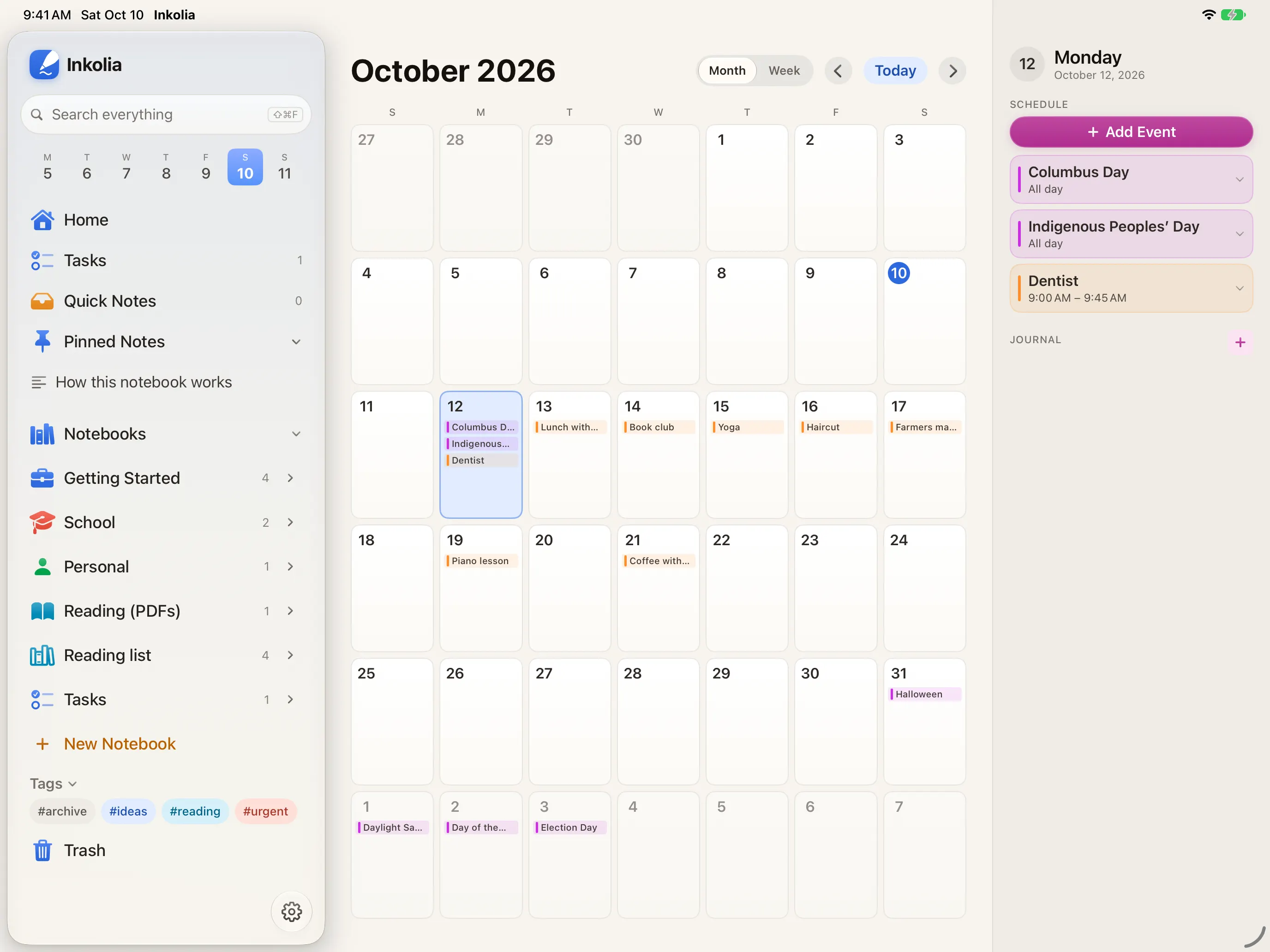
Notebook databases
Give a notebook properties, then see it four ways.
- Text, number, select, multi-select, date, checkbox, URL and rating properties
- Cards, Table, Board and Calendar views
- Drag a card to another board column to change its value
- Filter by an option, a checkbox or whether a property is filled, and sort by any one
- The Project notebook template starts you with a status board and a timelinePlus
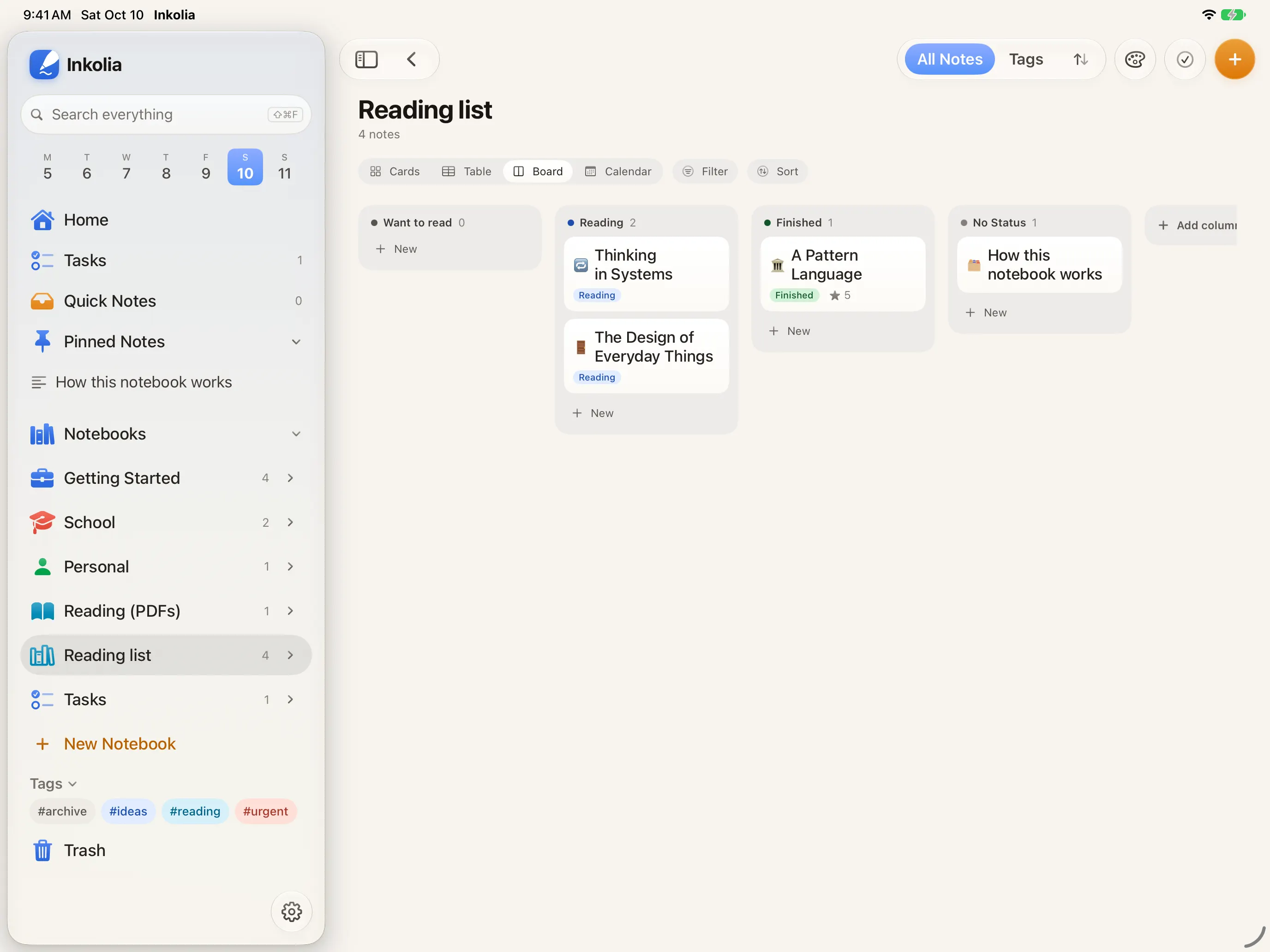
Search and Ask
One search for what you typed, wrote on a page or recorded, across every note. Locked notes match by title.
- Titles, notebooks, tags, typed text, tables, handwriting, boards, PDF text and transcripts
- Every word, in any order, ignoring case and accents
- Results come grouped and open on the match
- Press ⌘K to jump to any note or notebook, or run an action
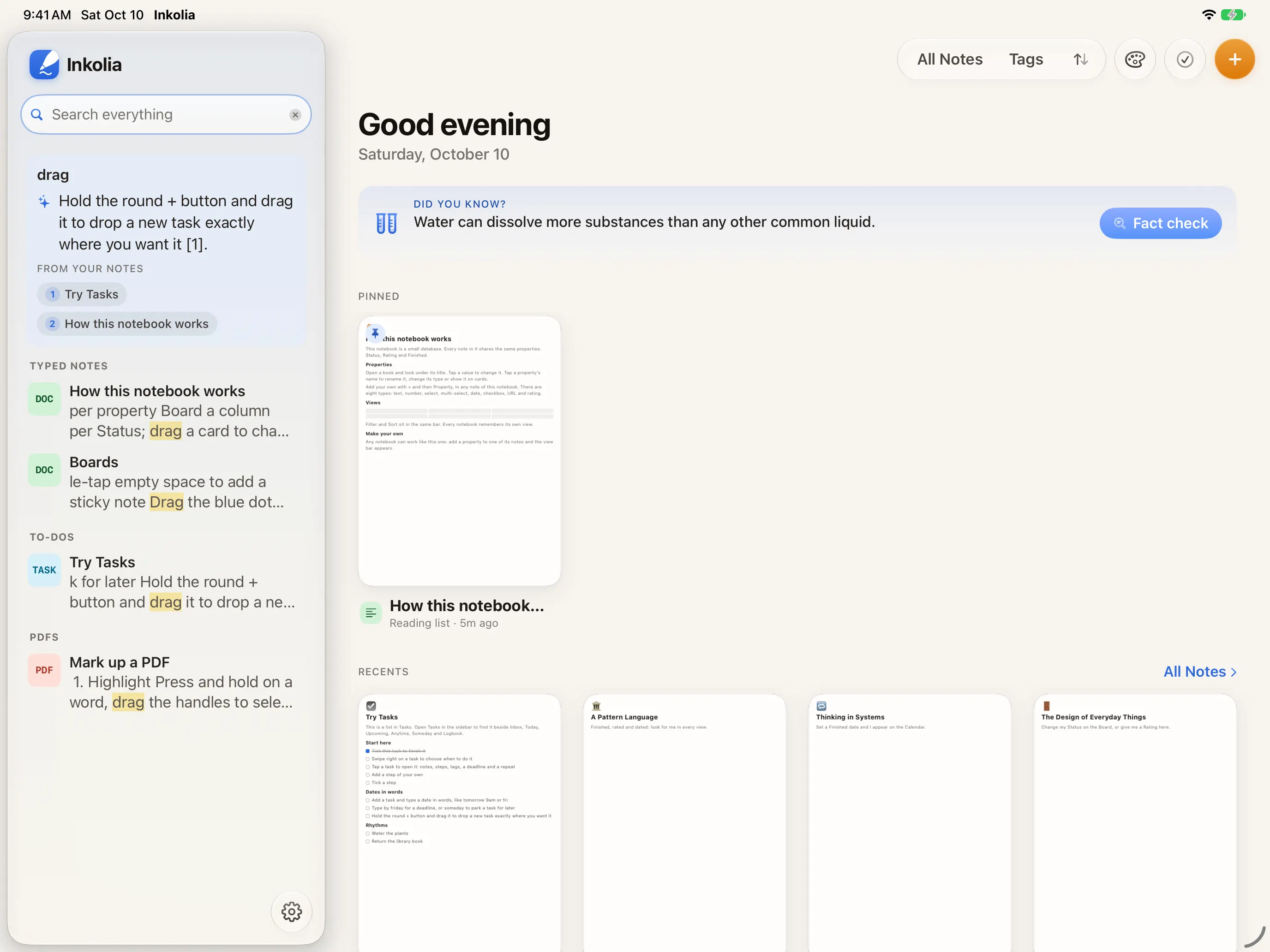
- Ask your notes: Apple Intelligence answers from your library with numbered sources, on your devicePlus
Intelligence on your device
Apple’s on-device model, with no account and no credits.
- Summarize a note into a callout at the top, or outline it
- Rewrite, shorten, lengthen, fix grammar, change the tone or keep writing
- Flashcards from a notePlus
- Needs a device with Apple Intelligence turned on
Make it yours
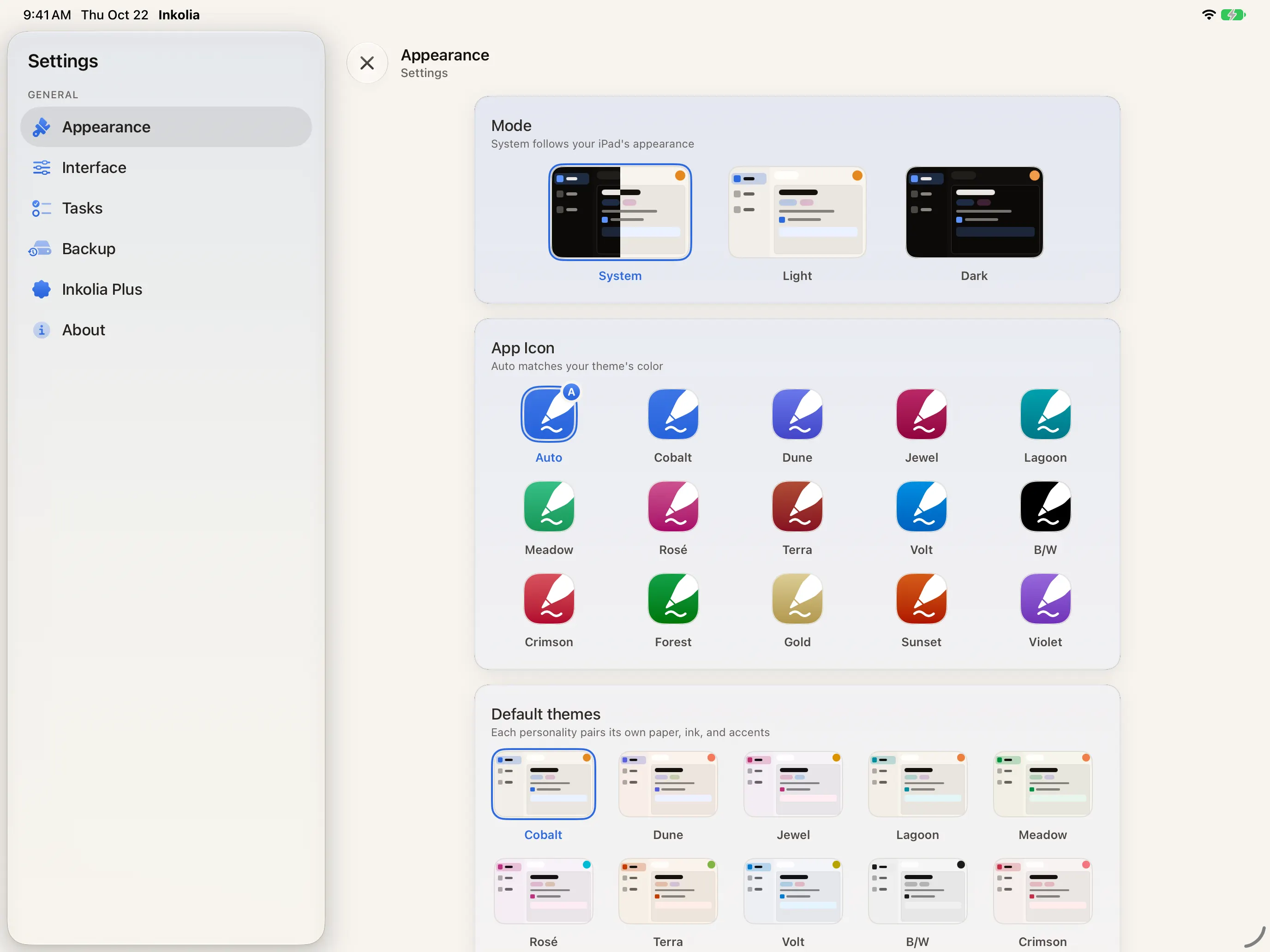
Fourteen themes, each one setting paper, ink and accent together.
- Cobalt is free; the other thirteen themes and the Custom mixer come with Plus
- An app icon that follows your theme, and Cobalt’s icon, free; thirteen more with Plus
- Desks, notebook covers, colours and note iconsPlus
- Templates: Meeting Notes, Project Brief, Weekly Plan, a Kanban board, and your ownPlus
- Quiet sounds for a new page, a ticked to-do or a recording, with one switch to turn them off
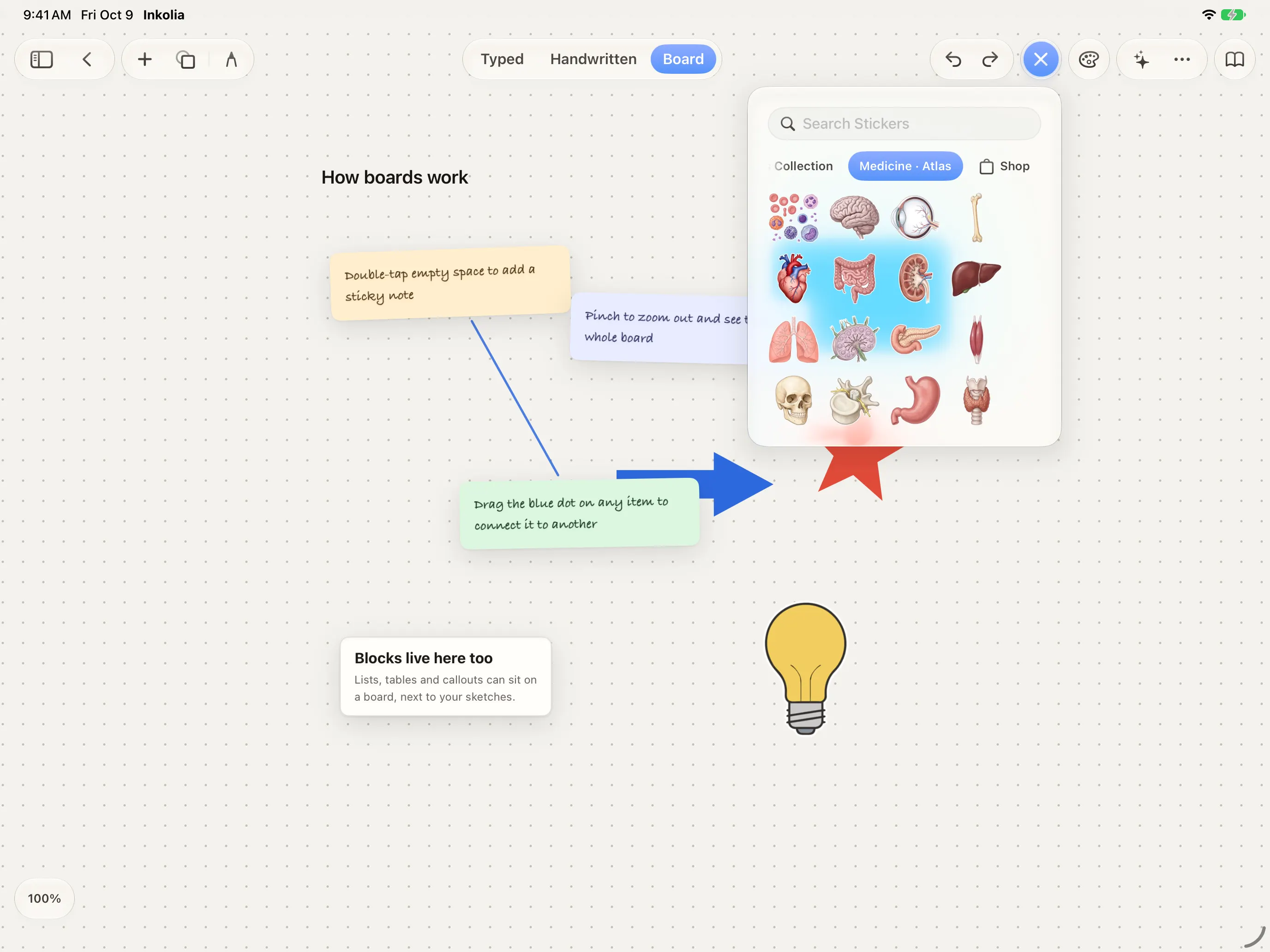
Stickers
A drawer of stickers for boards, typed notes and handwritten pages.
- Essentials, 25 stickers, free
- The Plus Collection, ten stickers, with Plus
- Packs at $1.99 each, whether or not you have Plus: Study, Dates & Headers, Everyday Life, Sticky Notes & Paper, Winter & New Year, Medicine · Atlas, Medicine · Cardiovascular and Medicine · Clinical Essentials
- The Medicine packs download when you buy them, so the app stays small
- A pack you buy stays yours
Your data
Your notes stay on your devices and leave only when you choose: a share, an export, a backup or sync.
- Back up to a folder in Files, a home NAS or any WebDAV server whenever you choose
- Automatic backup when you leave the app, if anything changedPlus
- Restore any of the last ten snapshots
- Export a note as PDF, print it, or drag it into another app; with Plus, as Markdown or Word too
- Import PDFs, scans, images, text, Markdown and RTF, a folder of Markdown files or a Notion export
- Lock a note with Face ID or your passcode
- Deleted notes wait in the Trash for 30 days
Across the system
Inkolia works with the rest of your device.
- Siri and Shortcuts: open today’s note, create a note, search, export as PDF and add a task
- Widgets for today’s note, recent notes, tasks, a pinned note and quick actions
- Lock Screen and Control Center buttons for a new note and today’s note
- Send to Inkolia from the share sheet, and Open in Inkolia for PDFs and images
- Drag and drop between notes, boards, lists and other apps
- Full keyboard menus, and it fits any window size
- Short tutorials for typed notes, boards, PDFs and tasks on first launch
Inkolia Plus
14 days of everything in Plus when you first open Inkolia, with no card. When it ends, nothing you made is locked. See the prices.
Free, with no cap on your notes
- Notes, handwriting, PDFs and boards, as many as you like
- Tasks, calendar and notebook databases
- Search every note, handwriting included
- Summaries, outlines and writing help, with Apple Intelligence
- Export any note as PDF, or your whole library
- Back up by hand
- Widgets, Siri and Shortcuts
Inkolia Plus adds
- Sync across all your devices, through your own iCloud
- Automatic backup
- Export to Markdown and Word, many notes at once
- Ask across your whole library, with history, and flashcards
- Every theme and the Custom mixer
- Desks, notebook covers, colours and note icons
- Themed app icons
- Every template, built-in and your own
- The Plus Collection stickers